


If you hold RSUs with Fidelity (like many tech employees at Microsoft, Amazon, or Apple), those shares typically sit idle after they vest. To diversify globally or invest through Paasa, you’ll first need to move the proceeds — and the process is straightforward once you know the steps.
Step 1: Create your Paasa account
If you haven't already, download the Paasa app and complete your KYC to open your global investing account.

Step 2: Open the Paasa app and tap 'Transfer investments'
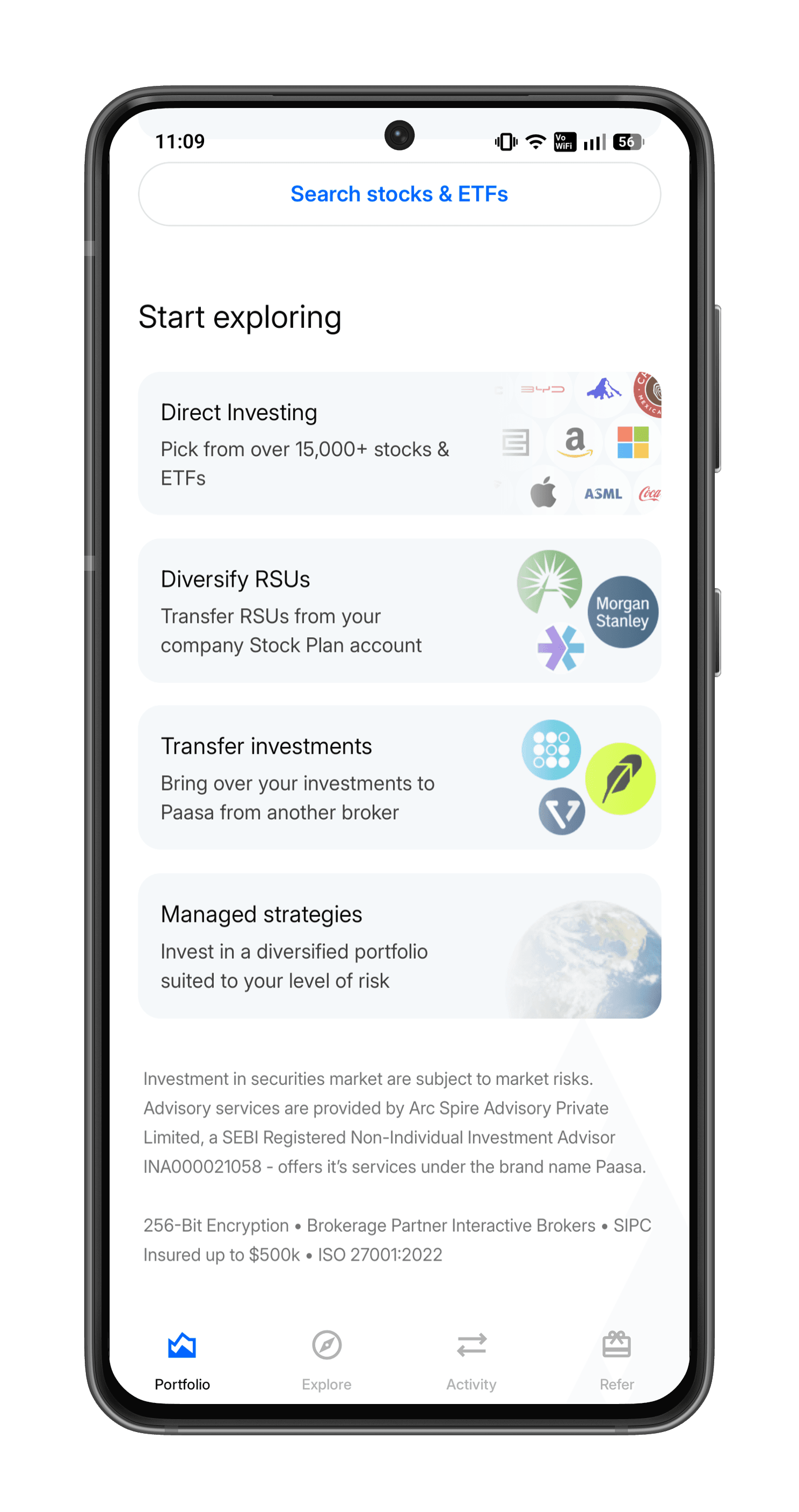
Step 3: Select your broker

Step 4: Select 'Transfer cash'

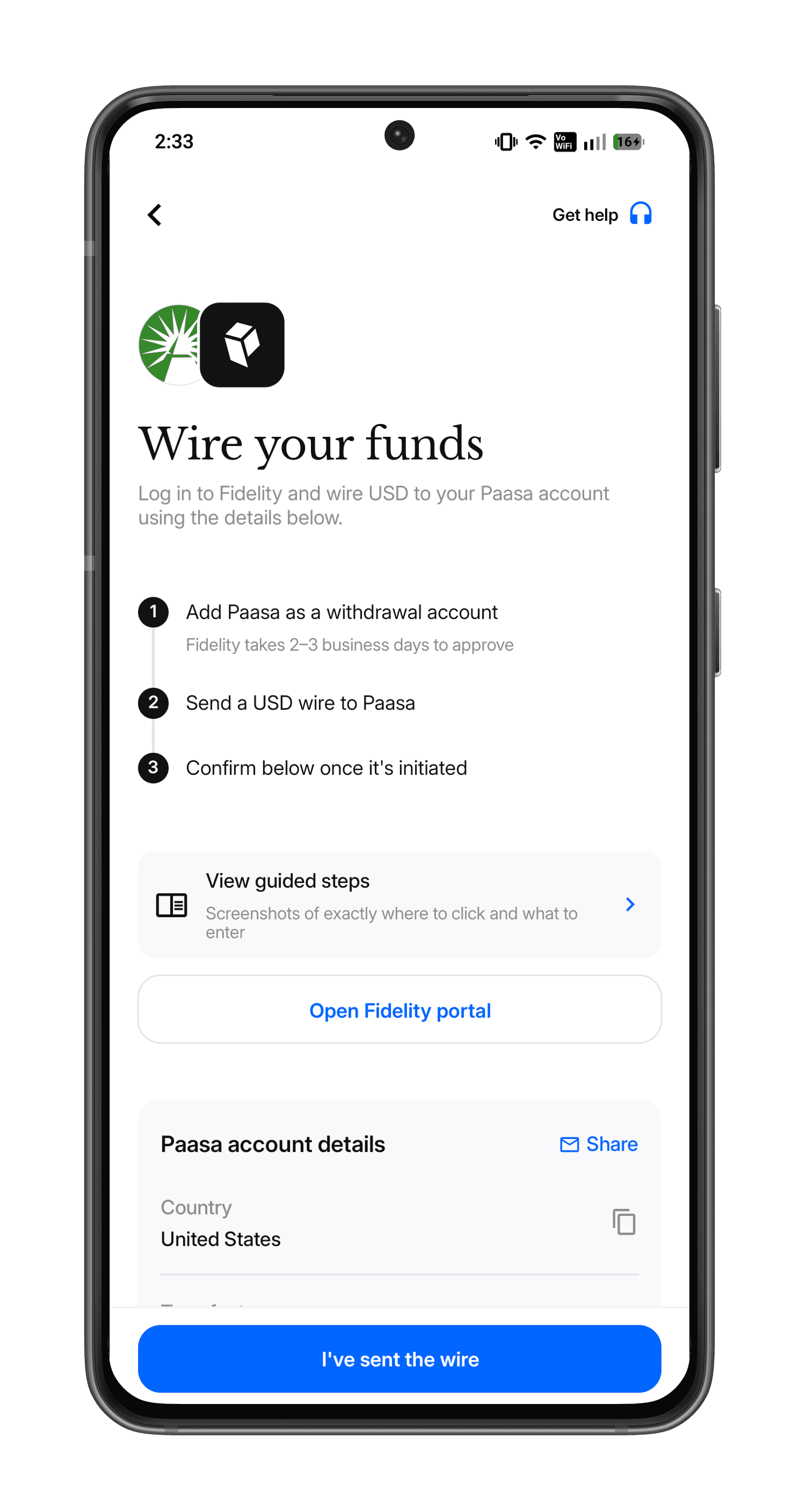
Step 6: Follow the on-screen instructions
Follow the on-screen instructions to complete your transfer.
Important Notes
- Fidelity does not support direct in-kind transfer of RSUs; only cash transfers.
- Always verify account details with Paasa before submitting.
- If you’re remitting from India, transfers must comply with LRS (Liberalised Remittance Scheme) limits.
Need Help?
Our advisory team can walk you through the Fidelity interface and verify details before you initiate the transfer.
Write to us at support@paasa.co or reach your Paasa advisor directly in-app.

