


If your company’s RSUs are held with E-Trade, you can easily transfer proceeds from vested shares to your Paasa global investment account. This allows you to diversify beyond your employer stock and invest across US, UK, and UCITS ETFs — directly from your RSU earnings.
Step 1: Create your Paasa account
If you haven't already, download the Paasa app and complete your KYC to open your global investing account.

Step 2: Open the Paasa app and tap 'Transfer investments'
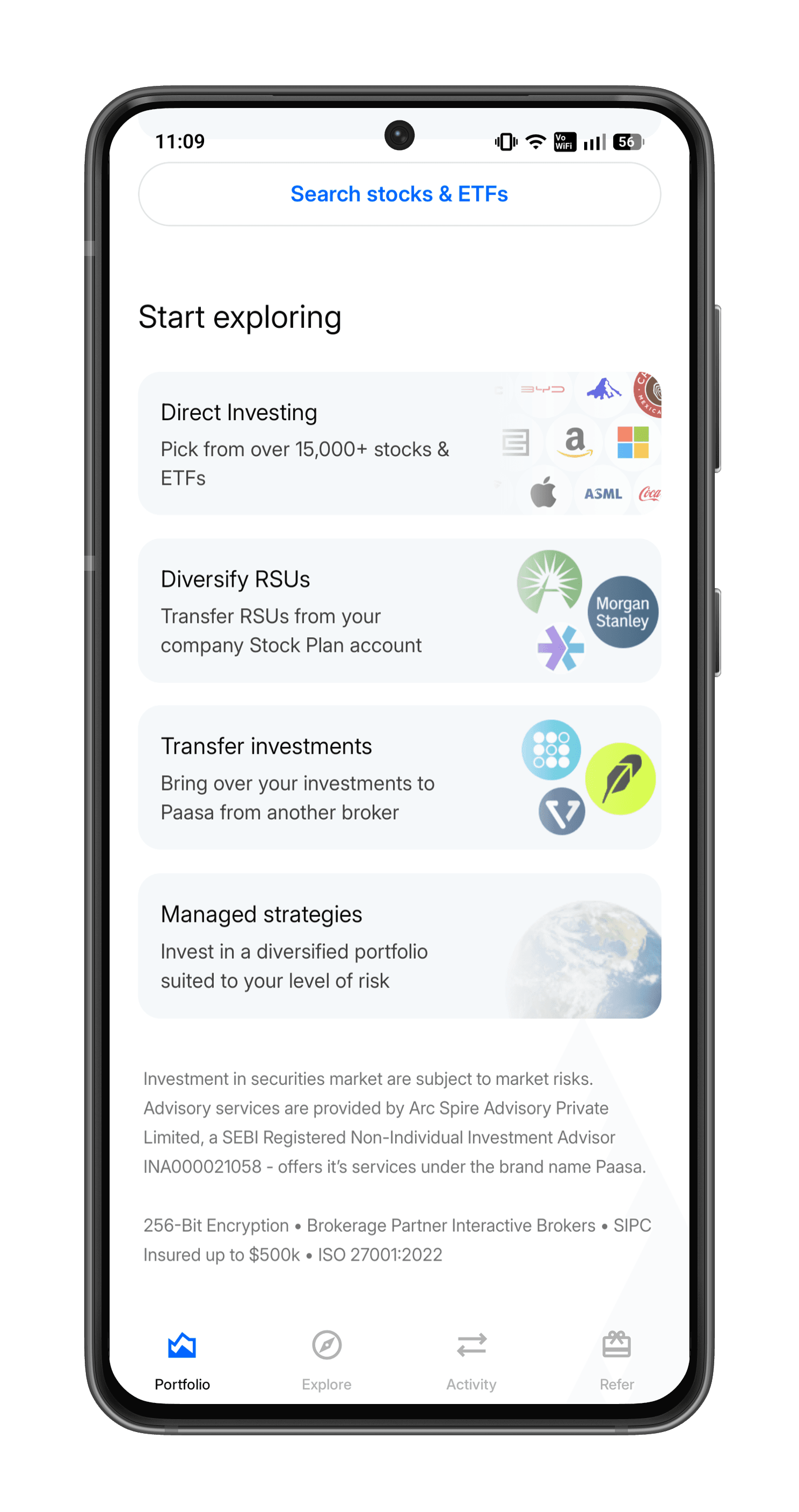
Step 3: Select your broker

Step 4: Select 'Transfer cash'
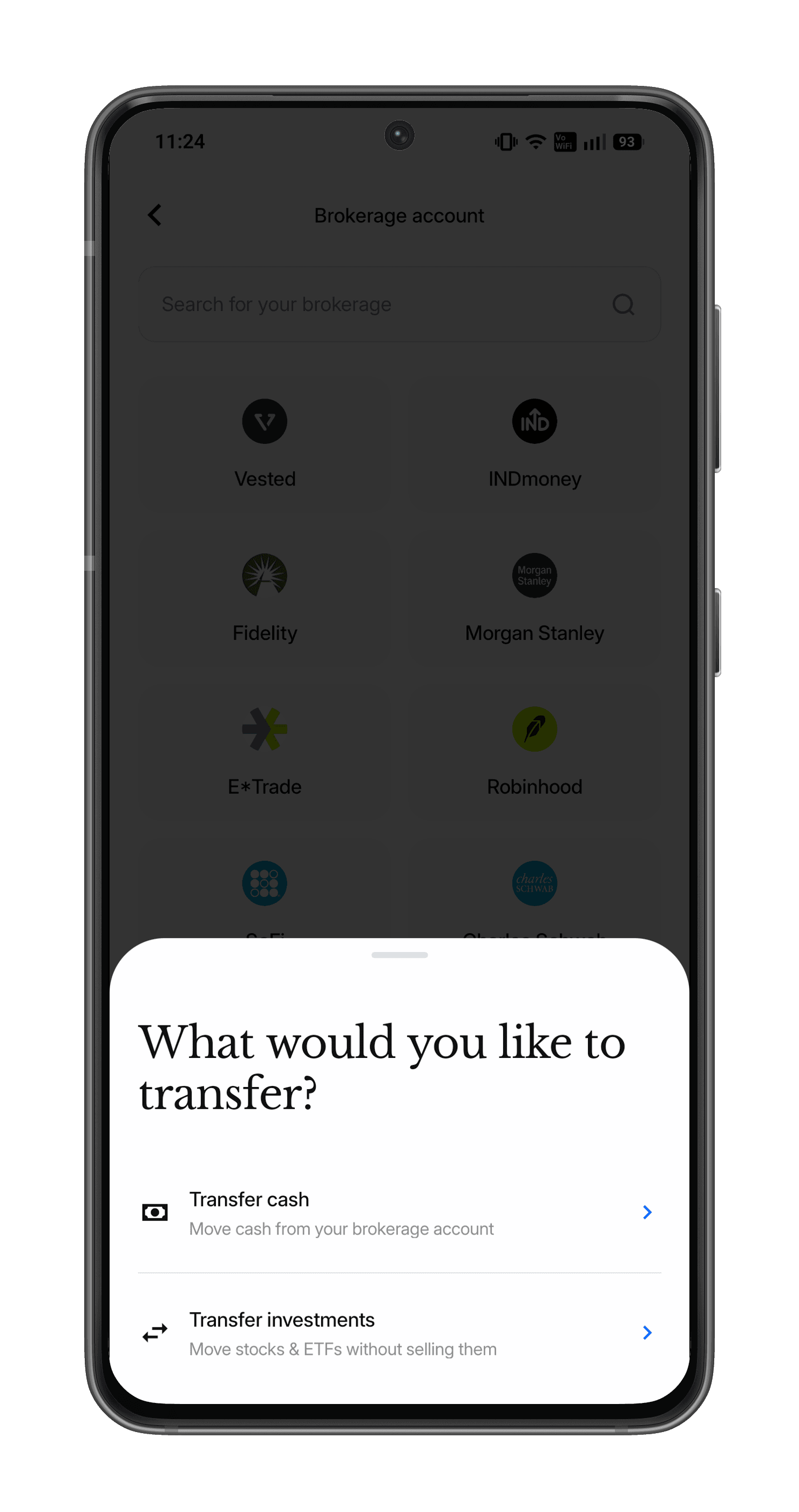
Step 6: Follow the on-screen instructions
Follow the on-screen instructions to complete your transfer.
Need Assistance?
If you’d like our team to walk you through your E-Trade dashboard before initiating the transfer or have any questions around tax or FEMA compliance, reach out at support@paasa.com or directly message your Paasa advisor.

